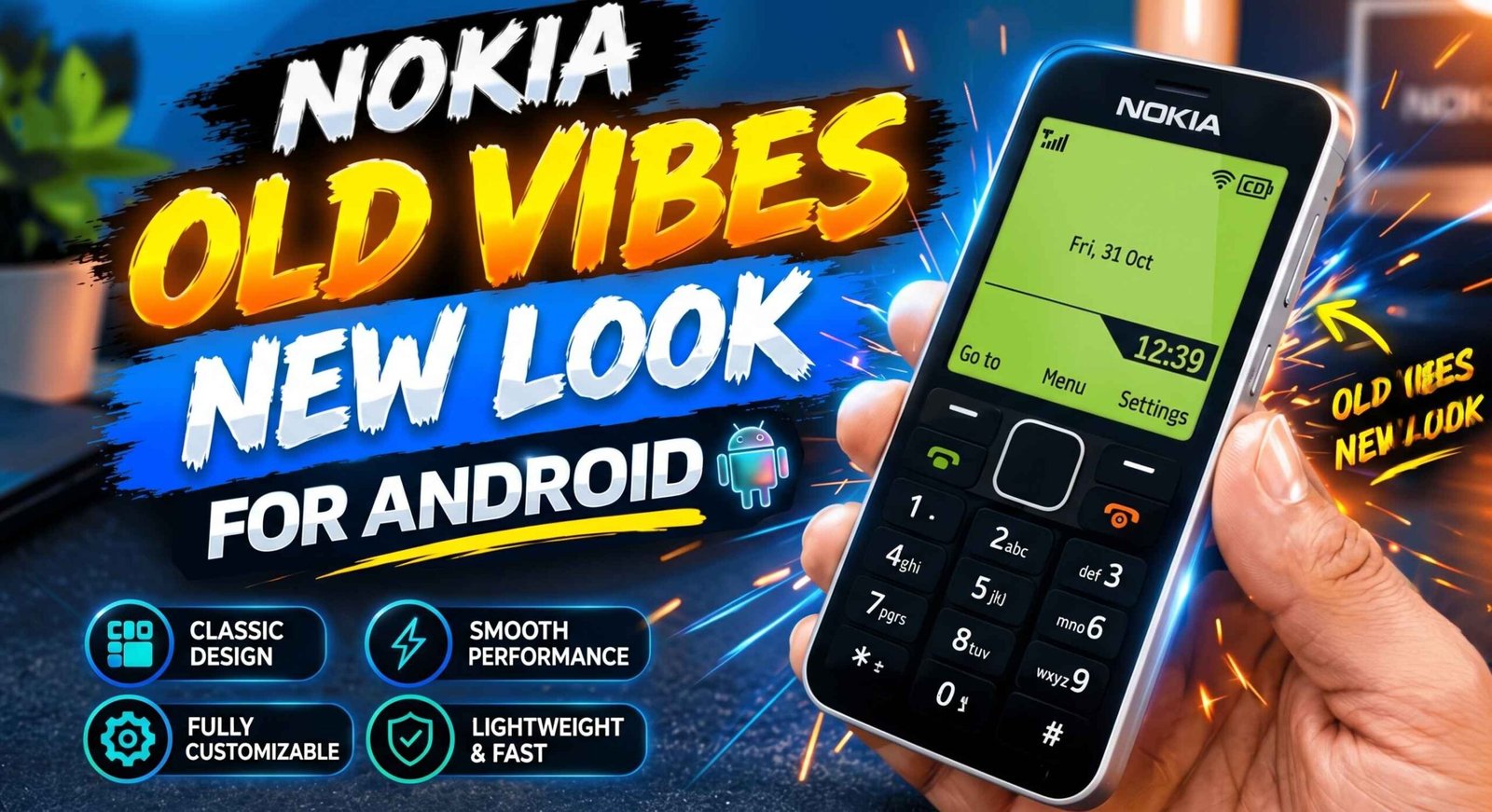
Miss the old Nokia 1280? Learn how to give your Android phone a classic Nokia-style look in 2026 using retro launchers and simple customization tips.
Do you remember the days when mobile phones had physical keypads, simple menus, and batteries that seemed to last forever? Before modern smartphones became popular, classic Nokia phones were loved for their straightforward design and easy-to-use interface. The Nokia 1280 was one of those memorable devices.
If you miss that old-school mobile experience, here is some good news: you can recreate a similar classic phone look on your Android device in 2026. With the right retro launcher, wallpaper, and a few customization settings, your modern smartphone can look and feel more nostalgic.
In this guide, you will learn how to customize your Android home screen with a Nokia 1280-inspired design, what features you can recreate, and what to keep in mind before installing a launcher.
What Made the Nokia 1280 So Popular?
The Nokia 1280 was known for its simple design and practical features. Unlike today’s smartphones, it focused on essential mobile functions rather than apps, social media, and complicated settings.
Some features people remember include:
- A classic physical keypad
- A simple monochrome-style interface
- Basic calling and messaging features
- A compact, lightweight design
- A straightforward menu system
- A long-lasting battery compared with many smartphones of its era
For many people, the Nokia 1280 represents a time when phones were mainly used for calls and text messages. Recreating its appearance on Android can bring back some of that nostalgic feeling without giving up your modern device.
Can You Turn an Android Phone Into a Nokia 1280?
Yes, you can recreate a similar appearance, but there is an important difference.
A retro launcher can change your Android home screen, icons, menu layout, and sometimes the appearance of a keypad. Wallpapers and widgets can also help create a classic Nokia-inspired design.
However, customization does not turn your smartphone into an actual Nokia 1280. Your device will continue running Android, and its camera, apps, touchscreen, and operating system will remain largely the same.
The goal is to recreate the classic Nokia-style appearance, not replace Android with the original Nokia software.
How to Get the Nokia 1280 Look on Android in 2026
Follow these steps to give your smartphone a retro mobile design.
Step 1: Find a Retro or Nokia-Style Launcher
Start by looking for a launcher that offers a classic mobile interface. Open the Google Play Store and search for terms such as:
- Retro phone launcher
- Classic mobile launcher
- Nokia-style launcher
- Old phone keypad launcher
Check the available apps carefully before installing one. Read recent reviews, verify the developer’s information, and confirm that the app is compatible with your Android version.
Not every launcher that mentions Nokia supports the exact Nokia 1280 design. Some imitate older Nokia smartphones, while others provide a general retro interface.
Step 2: Install the Launcher
Once you find a suitable app, tap Install and wait for the installation to finish.
Open the app and follow its setup instructions. Depending on the launcher, you may see options for changing the home screen, selecting a menu layout, or choosing a classic theme.
If the app requests permissions that do not seem necessary for its features, review them carefully before proceeding.
Step 3: Set the Launcher as Your Default Home App
Some launchers ask whether you want to use them as your default home app.
If you want the retro interface to appear whenever you return to the home screen, select the new launcher as the default when prompted.
If no prompt appears, the setting is usually available under your phone’s Settings app. The exact path depends on your device, but look for Apps, Default apps, or Home app.
You can normally switch back to your original launcher later.
Step 4: Choose a Classic Nokia-Inspired Wallpaper
A suitable wallpaper can make a big difference to the final appearance.
Look for a simple background inspired by classic mobile phones. Dark, plain, or low-detail wallpapers often work better than colorful modern designs.
You can also try a retro wallpaper featuring a simple screen, classic menu styling, or a nostalgic mobile-phone theme. Choose an image that fits your screen resolution so that it looks clear rather than stretched.
Remember that wallpaper alone will not recreate the full Nokia interface, but it can help complete the overall design.
Step 5: Customize the Icons and Menu
If your launcher supports icon customization, choose simple icons that resemble the clean appearance of older phones.
Avoid crowded home screens, unnecessary widgets, and too many shortcuts. Keep the layout minimal so that the interface feels closer to a classic feature phone.
Some launchers also provide menu layouts inspired by old mobile devices. Explore the available settings to see whether you can adjust the menu style, icon arrangement, or navigation appearance.
The available options depend on the launcher you install.
Step 6: Add a Keypad-Style Interface if Available
One of the most recognizable differences between a Nokia 1280 and a modern smartphone is the physical keypad.
Some retro launcher apps offer an on-screen keypad or buttons that imitate an older phone’s layout. If your chosen app includes this feature, enable it through the launcher settings.
Keep in mind that an on-screen keypad is only a visual or app-based feature. It does not add a real physical keypad to your smartphone, and it may not replace Android’s normal calling interface.
Which Features Can You Recreate?
A Nokia 1280-inspired Android setup can recreate parts of the old phone’s appearance, but the exact results depend on the launcher.
You may be able to customize:
- Home screen: Use a simple, classic layout instead of a modern app grid.
- Icons: Choose minimal icons that match the retro theme.
- Wallpaper: Add a nostalgic background.
- Menu design: Use a launcher with a classic menu arrangement.
- Keypad appearance: Try an app that provides a simulated keypad.
- Overall style: Reduce visual clutter and keep only essential shortcuts.
Some features may not be supported by your chosen launcher. Always check the app description and screenshots before installing it.
Is a Nokia 1280 Launcher Safe to Use?
A launcher can be safe to use, but you should evaluate the specific app rather than assuming every retro launcher is trustworthy.
Before downloading one, follow these precautions:
- Download apps from the Google Play Store or another reputable source.
- Read recent user reviews and check the developer’s details.
- Review the permissions requested during setup.
- Avoid apps that ask for unnecessary access to contacts, messages, accessibility services, or other sensitive information.
- Check the app’s privacy policy if it collects personal information.
- Uninstall the launcher if it displays suspicious advertisements or behaves unexpectedly.
A retro theme should not require you to share sensitive information or disable important security settings. If an app makes unusual demands, look for another option.
Will a Retro Launcher Make Your Phone Faster?
Not necessarily. Installing a classic launcher mainly changes the interface, and its effect on performance depends on how the app is designed.
A lightweight launcher may use fewer resources than a feature-heavy alternative, but a poorly optimized launcher can also consume memory, run background processes, or display advertisements.
If your phone feels slow, try removing unused apps, freeing up storage, updating Android, and restarting your device. These steps may help more than changing the launcher alone.
Also, a retro launcher does not automatically provide the battery life of a classic Nokia phone. Modern Android devices have different hardware, operating systems, and power requirements.
How to Return to Your Original Android Home Screen
If you decide that the retro design is not for you, you can usually return to your original home screen without resetting your phone.
Open Settings and look for the Default apps or Home app section. Select your original launcher, such as the one supplied by your phone manufacturer.
The exact menu names vary between Android brands. If you cannot find the setting, search for “default home app” in your phone’s Settings.
You can also uninstall the retro launcher if you no longer need it. Before removing any customization app, make sure you know how to switch back to your normal home screen.
Final Words
The Nokia 1280 remains a memorable classic for people who appreciate simple mobile phones. Although modern Android smartphones cannot become the original device through a launcher, you can recreate parts of its nostalgic style with a retro theme, simple wallpaper, classic icons, and a suitable menu layout.
If you want to try this customization in 2026, choose a reputable launcher, check its compatibility, and review its permissions before installing it. You can experiment with different designs until you find one that suits your taste.
Have you ever used a Nokia 1280 or another classic Nokia phone? Share your memories in the comments, and tell us which old mobile design you would like to recreate on Android next.
1. Can I make my Android phone look exactly like a Nokia 1280?
You can recreate a similar retro appearance with a suitable launcher and wallpaper, but an exact match is not guaranteed. Your smartphone will continue to run Android rather than the original Nokia 1280 software.
2. Is the Nokia 1280 launcher free?
Some retro launcher apps are free, while others may include paid themes, advertisements, or in-app purchases. Check the app listing for current pricing before installing it.
3. Do I need to root my Android phone?
Usually, no. Basic launcher and wallpaper customization generally works without root access. Avoid rooting your phone just to apply a retro theme unless you fully understand the risks.
4. Will this trick work on every Android phone?
Compatibility depends on the launcher and your Android version. Many launchers work across multiple devices, but some features may not be available on every phone.
5. Can I remove the Nokia-style launcher later?
Yes. In most cases, you can switch back to your original home app through Android settings and uninstall the retro launcher whenever you want.